
One case study, many surfaces: how we reuse proof across the logo wall, testimonials, and detail pages
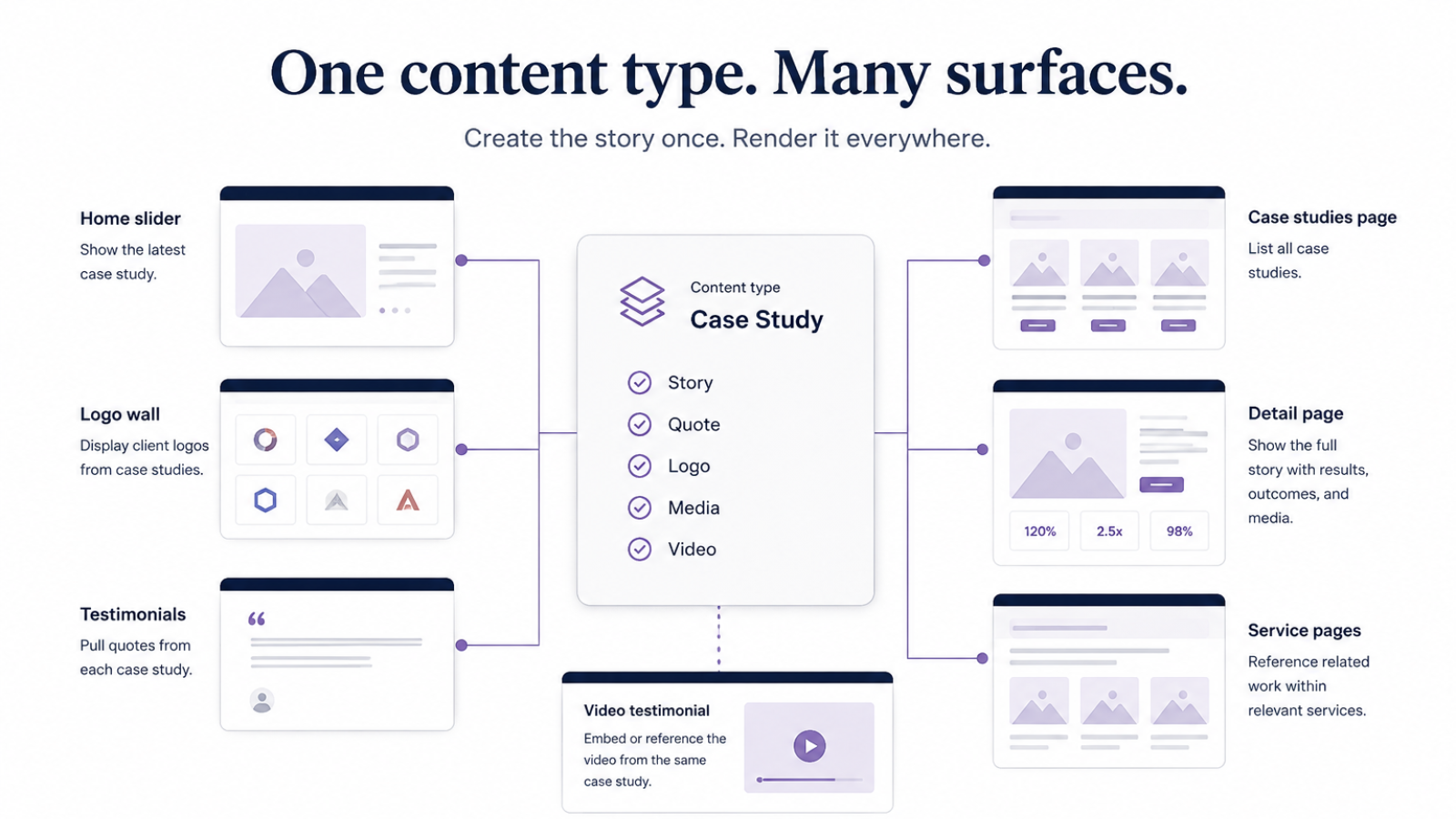
When a site grows, social proof tends to fragment. Logos live in one component. Quotes get pasted into another. Case study pages become a third source of truth. Video testimonials become a fourth. Before long, the homepage still shows a client the team unpublished last month.
We designed the new Responsab marketing platform around the opposite idea: one Case Study node is the proof record. Surfaces choose what to display from that record. They do not duplicate it.
The problem with duplicated proof
Most marketing sites treat client logos, testimonials, and case studies as separate content types, or worse, as hard-coded Canvas blocks. That feels fast during launch week. It becomes expensive the first time a quote needs a wording change, a logo needs a darker variant, or a confidentiality request means a name should disappear everywhere overnight.
We wanted editors to answer one question: Does this engagement belong in our public proof set? If yes, fill in the Case Study. Visibility toggles decide where it appears. Field groups decide what each surface can show.
One content type, several jobs
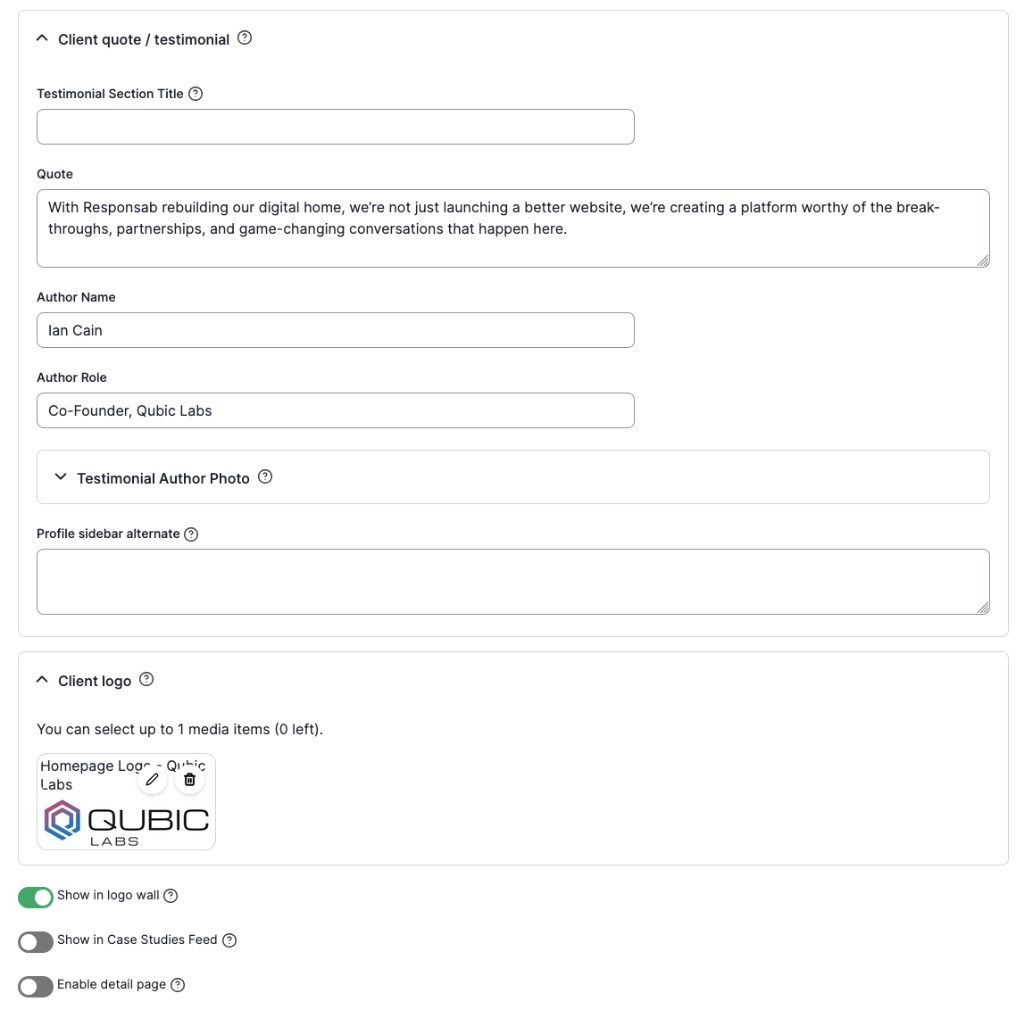
A Case Study on Responsab is not only a long-form detail page. It is a structured proof object with fields for:
- Identity: title, client name, logo, taxonomy type
- Listing proof: intro, outcome highlight, featured media, gallery
- Testimonial proof: quote, attribution, role, headshot
- Detail narrative: profile facts, stack, before/after, approach, outcomes, body
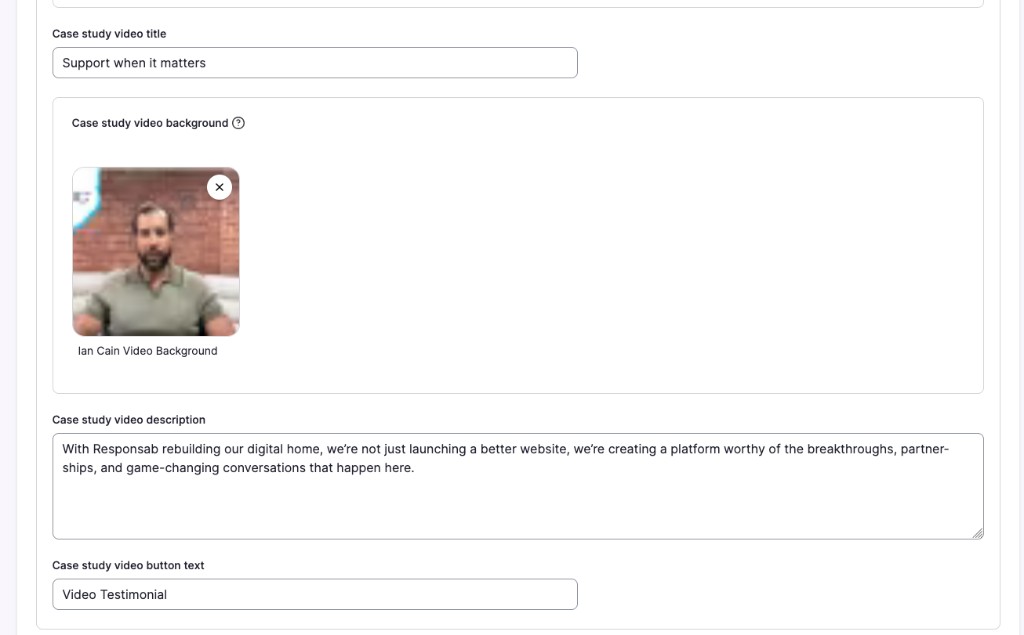
- Video proof: walkthrough or testimonial video, eyebrow, title, description, background
- Placement gates: show in home feed, show in logo wall, enable detail page
Those gates matter. A confidential engagement can still contribute a logo and quote without exposing a full write-up. A detailed story can stay off the homepage carousel until it is ready. The data stays centralized either way.
How surfaces consume the same node
Logo wall
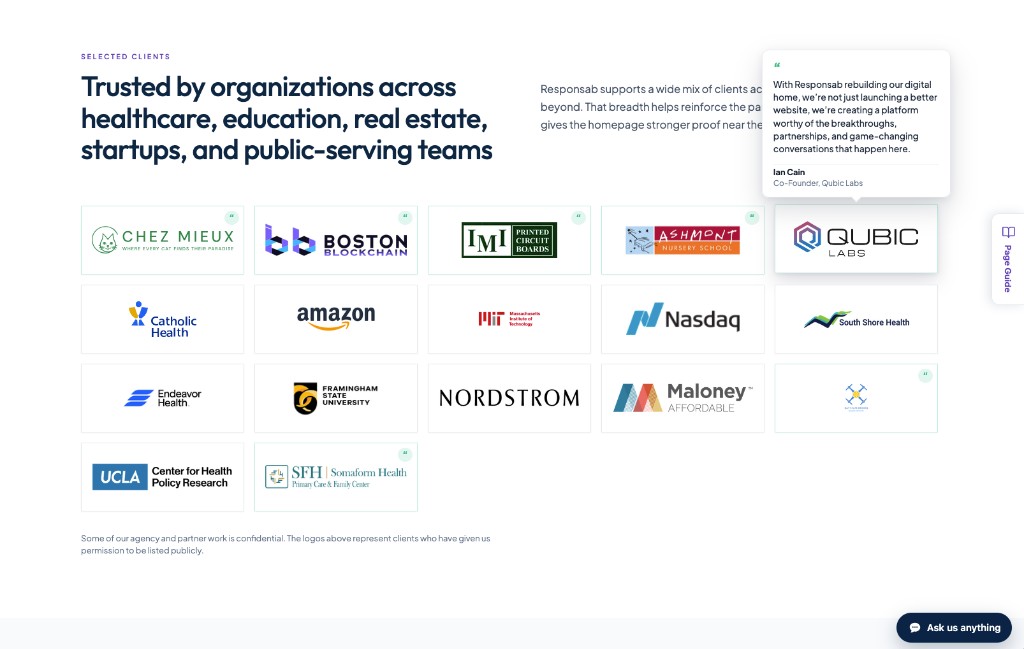
The logo wall reads published Case Studies marked for the wall and pulls the client logo. When a quote exists on that same node, the logo item can surface a hover testimonial, attribution, role, and headshot included, without a separate “testimonial entity.” One node, two jobs: mark and voice.
Testimonials and review carousels
Homepage and audience pages do not maintain a parallel quote library. Review cards query Case Studies that carry a supporting quote and map those fields into the card shape. Change the quote on the Case Study and the carousel updates on the next render.
Case studies listing and homepage feed
Listing cards and the homepage case-study slider reuse the same card fields: category, intro, result line, featured image, and detail URL. Editors are not maintaining “homepage slide content” separately from “case study teaser content.”
Detail page
The full Case Study page is a Canvas content template wired to the same node. Simple props bind directly from fields. Richer media and multi-value sections hydrate at render time so Canvas does not need brittle bindings for every gallery item or video payload. The detail page is another view of the same record, not a fork of it.

Video on the case study
When a walkthrough or video testimonial belongs to a specific engagement, it lives on that Case Study: video media, eyebrow, title, description, button label, and optional background. The detail page reuses our shared video feature section component, so presentation stays consistent while the source of truth remains the node.
Update once, publish everywhere
That architecture turns routine editorial work into a single edit:
- Refresh a quote → logo-wall tooltip and review carousels both move
- Swap featured media → homepage slide and listing card both move
- Toggle “enable detail page” off → the write-up stops being public while logo/quote can remain
- Add a project video → only that Case Study detail gains the section, using fields the team already understands
No hunting through Canvas patterns for pasted copy. No “which testimonial is the real one?” conversations.
Case Study node
├── Logo + show_in_logo_wall     → Logo wall (+ optional quote tooltip)
├── Quote + headshot             → Review carousels / testimonial cards
├── Intro + result + featured    → Homepage feed + case studies listing
├── Narrative + profile fields   → Case study detail page
└── Video + video copy/background→ Detail video section
Why Twig helpers instead of more Views blocks
Drupal Canvas pages are component trees. We keep dynamic surfaces honest by resolving Case Study data at render time through theme Twig functions: logo wall items, review cards, case study cards, and detail meta. That keeps the editor experience in Canvas while still letting PHP query the live node set with the right filters.
In practice, that means the marketing pages stay composition-friendly, and the proof data stays relational. Components declare what they need. The Case Study supplies it.
What we intentionally did not centralize
Not every visual is a live Case Study query. A homepage spotlight composition can still be curated slide-by-slide when storytelling needs a custom sequence. Marketing video patterns can also be placed as reusable Canvas patterns when the video is campaign-level rather than engagement-level. For engagement-level video, Canvas can now use the Case Study Video Feature component to pull from a Case Study path such as /case-studies/boston-blockchain-week.
The rule is simple: if the proof belongs to a client engagement, it belongs on the Case Study. If it is a one-off page composition, keep it compositional.
What this buys the team
For editors, fewer places to remember. For developers, one schema to extend when we add fields like video eyebrow or an alternate profile aside. For the business, a proof system that stays accurate as the portfolio grows, because accuracy is a property of the model, not a weekly content chore.
That is the architecture behind the new case studies experience: one content type, many surfaces, and a site that can tell the same true story in every place clients look.